 Ravilo
Android TV · phone · Mac · Linux
One remote.
Everything worth watching.
Ravilo is the app your household actually opens — built around the library jellystructure keeps tidy, with live channels alongside it if the household has any configured.
What's inside
Built for the remote, not the mouse.
A home screen that means it
Continue watching, what's new, and channel rows built around what the household actually watches — not a wall of everything.
Live TV, if it's set up
A full channel guide, number entry, zapping, and a now-and-next overlay, woven right into Home.
Plain-language audio & subtitles
"Danish" and "described for the visually impaired," not codec names — a language flag and a plain sentence, every time.
Skip intro, skip credits
Shows up automatically per episode once jellystructure has detected it — no manual tagging required.
Search, cast & crew, requests
Browse by person, filter by genre, age rating, or language, and request what's missing if the household runs Seerr.
TV, phone and desktop, same account
An Android TV app for the living room, a phone app for browsing and casting on the go, and a desktop app for Mac and Linux.
Download
Get Ravilo.
Every button below downloads the file from Ravilo's latest release on GitHub.
Android
Android TV and phones
One app for both. To install, allow your browser or file manager to install unknown apps.
Download .apkMac
Apple silicon · macOS 14 or later
Not notarised. macOS asks twice on every download — the five steps are below.
Download .dmgLinux
x86_64 · Flatpak
Install the downloaded file with flatpak install. It needs Flathub set up for the runtime.
Release notes and every file →
Opening Ravilo on a Mac
Mac · every downloadRavilo isn’t registered with Apple, so macOS asks twice — every time you download a version from this page, not just the first.
-
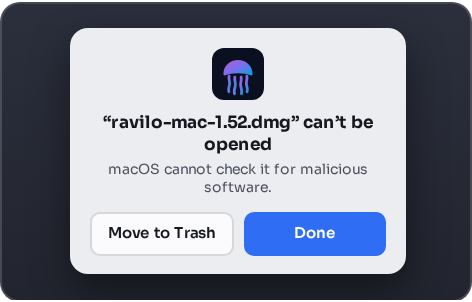
1Open the
.dmgyou downloaded. macOS refuses it — choose Done, not Move to Trash. -
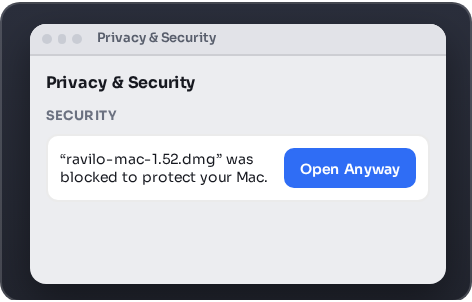
2Open System Settings ▸ Privacy & Security, scroll down to Security, and choose Open Anyway beside it. The disk image opens.
-
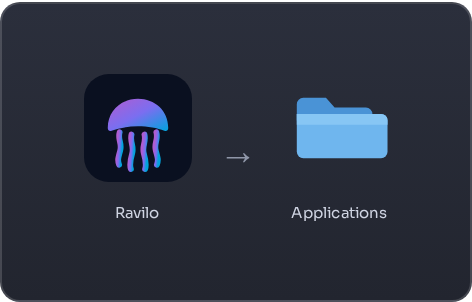
3Drag Ravilo onto Applications.
-
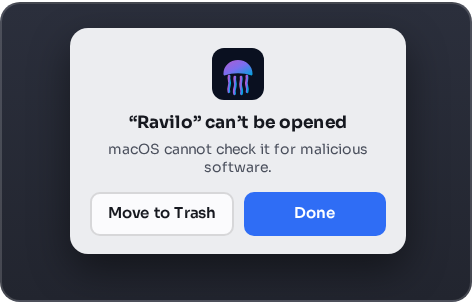
4Open Ravilo from Applications. macOS refuses it again — choose Done.
-
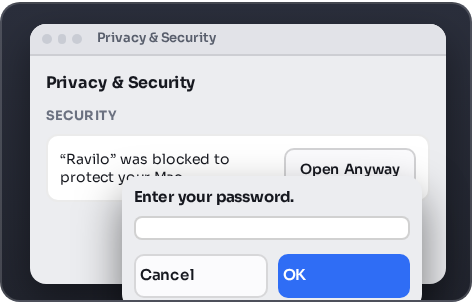
5Go back to Privacy & Security, choose Open Anyway once more, and enter your password. Ravilo opens.
On a Mac managed by your work or school, Open Anyway may ask for an administrator’s password you don’t have. That is that Mac’s policy, not Ravilo.
Getting it
Ravilo needs a jellystructure server behind it.
It's a client, not a service on its own — it connects to a jellystructure installation your household admin runs (or that you run yourself). Sign-in and access are set up by whoever administers that server.
On Android it is also in closed testing on Google Play ahead of a wider release. See the privacy policy for what data it handles.